Crawling Password Protected Websites
Crawl websites that require a login, using web forms authentication using our inbuilt Chrome browser.
Crawling Password Protected Websites
In version 7.0 of the SEO Spider we released web forms authentication, which makes it possible to crawl development versions of websites or pages which have logins built into the page, such as a private WordPress site. The SEO Spider already supported standards based authentication (basic and digest authentication), but web forms authentication allows it to crawl virtually anything behind a login.
This is a very powerful feature, and should therefore be used with great responsibility. The SEO Spider clicks every link on a page; when you’re logged in that may include links to log you out, create posts, install plugins, or even delete data.
The best and safest way to stop the SEO Spider from causing damage to your site is to ensure that you log it in with an account that doesn’t have write permissions on the website. During testing we created a new user just for the Spider with its role set to ‘subscriber’.
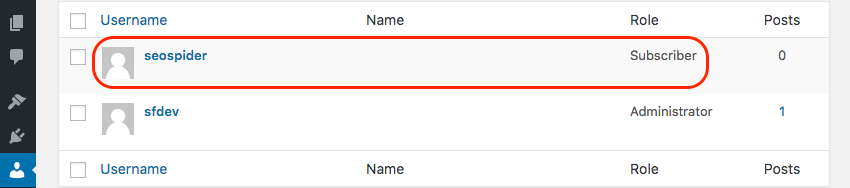
Our test site used the My Private Site WordPress plugin to password protect the entire site, which restricts access to logged in users only. You may need to speak to your website’s administrator to get a read-only account for your development site set up.
It’s also a good idea to blacklist a few choice URLs using the SEO Spider’s Exclude feature. We want to exclude the URL that logs us out, and it’s also a good idea to put a blanket ban on crawling anything in /wp-admin/.
The regular expressions you’ll need to use for a default WordPress install will look something like this:
http://example.com/wp-login\.php\?action=logout.*
http://example.com/wp-admin/.*
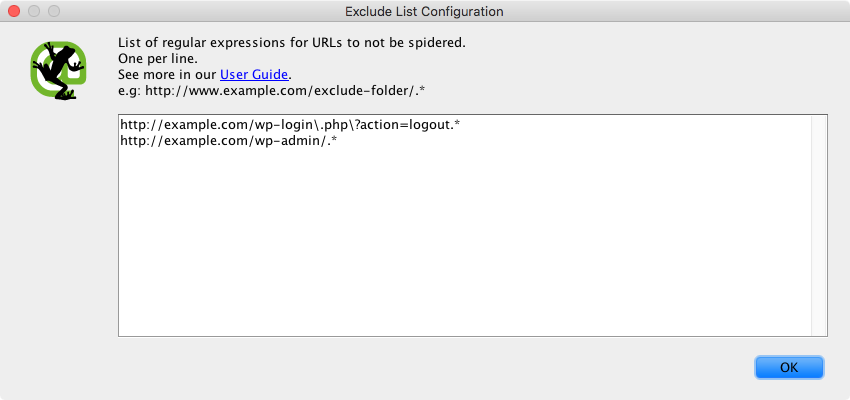
With these excludes the SEO Spider will only crawl the website part of the WordPress site, and even if it somehow got to the backend it can’t do any damage because it’s not logged in as an administrator.
Now we’ve created a safe user account for the SEO Spider and set up our excludes we can log in to the website by going to ‘Configuration -> Authentication’ then switching to the ‘Forms Based’ tab and then clicking the ‘Add’ button. Go ahead and enter the URL for the site you want to crawl, and a browser will pop up allowing you to log in.
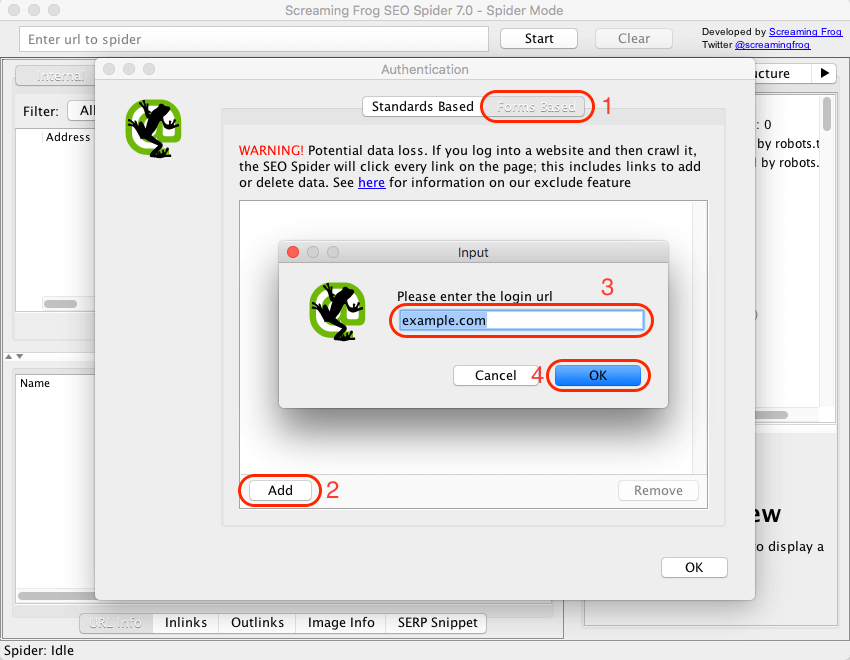
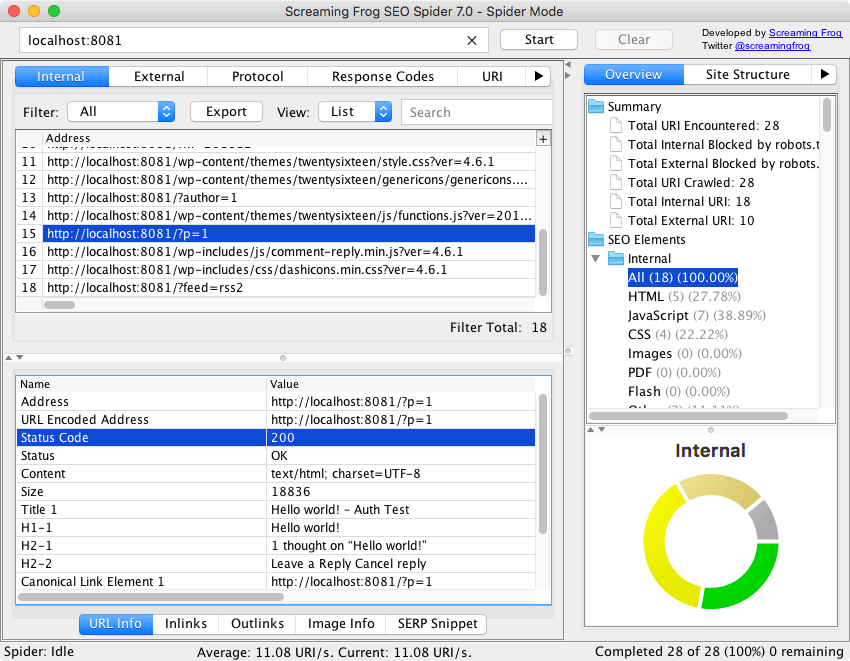
Once logged in click ‘OK’, then close the configuration window. Start the crawl and watch the SEO Spider boldly go where it has never gone before: behind the login page of your secure website.
During testing we also let the SEO Spider loose on our test site while signed in as an Administrator. We let it crawl for half an hour; in that time it installed and set a new theme for the site, installed 108 plugins and activated 8 of them, deleted some posts, and generally made a mess of things. Because the SEO Spider crawls in a nondeterministic manner, other test runs resulted in it almost instantly logging itself out again.
This is an incredibly powerful feature that needs to be used with great care and attention, but it will be an invaluable tool in ensuring your website is in top shape before deployment.
Check out our video guide on authentication for more information.
You can read about more of the SEO Spider’s features in our FAQ and User Guide, and if you have any problems don’t hesitate to contact support!